Tap Tempo BPM Counter DJ Tempo
Publisher Description
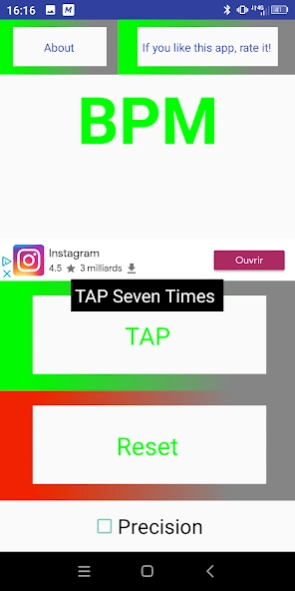


Detects the tempo of the music, Tap Tempo with precision.
🎧 Tap Tempo BPM Counter – Fast & Accurate Beat Detection
Easily detect the tempo (BPM) of any music with precision!
Tap Tempo BPM Counter is the perfect tool for DJs, musicians, producers, and music lovers. Simply tap along to the beat and instantly get the exact BPM of any track.
🔥 Key Features:
Fast and accurate BPM detection
Simple and intuitive tap interface
Perfect for DJs, producers, and musicians
Works with all music styles: house, techno, hip-hop, reggae, salsa, and more
Ideal for studio, live performance, and music practice
Dark mode for comfortable use in low-light environments
🎵 Perfect for:
DJs and electronic music producers
Musicians (guitar, piano, drums, etc.)
Dancers and dance instructors
Audio engineers and light technicians
Anyone working with rhythm and tempo
⚡ Why choose Tap Tempo BPM Counter?
Lightweight and fast
Highly accurate results
No setup required
Instant tempo detection
📲 Download now and turn your smartphone into a powerful music tool!
About Tap Tempo BPM Counter DJ Tempo
The company that develops Tap Tempo BPM Counter DJ Tempo is FredSound. The latest version released by its developer is 1.0 .
To install Tap Tempo BPM Counter DJ Tempo on your Android device, just click the green Continue To App button above to start the installation process. The app is listed on our website since 2020-08-23 and was downloaded 17 times. We have already checked if the download link is safe, however for your own protection we recommend that you scan the downloaded app with your antivirus. Your antivirus may detect the Tap Tempo BPM Counter DJ Tempo as malware as malware if the download link to appinventor.ai_frederic_mavel.TapTempo is broken.
How to install Tap Tempo BPM Counter DJ Tempo on your Android device:
- Click on the Continue To App button on our website. This will redirect you to Google Play.
- Once the Tap Tempo BPM Counter DJ Tempo is shown in the Google Play listing of your Android device, you can start its download and installation. Tap on the Install button located below the search bar and to the right of the app icon.
- A pop-up window with the permissions required by Tap Tempo BPM Counter DJ Tempo will be shown. Click on Accept to continue the process.
- Tap Tempo BPM Counter DJ Tempo will be downloaded onto your device, displaying a progress. Once the download completes, the installation will start and you'll get a notification after the installation is finished.
Program Details
System requirements
Download information
Pricing
Version History
version 2.0
posted on 2020-08-23
precision button added for unrounded result.
version 1.9
posted on 2019-10-07
New Logo
About section added.
Better coding.
Rate me!
